We are proud to announce that No Trust Verify now offers a Whoogle instance. search.notrustverify.ch is hosted in Switzerland and provides easy, privacy-friendly access to Google search engine results.
Why Woogle ?
No ads or sponsored content
No JavaScript
No cookies
No tracking/linking of your personal IP address
No AMP links
No URL tracking tags (i.e. utm=%s)
No referrer header
Tor and HTTP/SOCKS proxy support
Autocomplete/search suggestions
POST request search and suggestion queries (when possible)
View images at full res without site redirect (currently mobile only)
Light/Dark/System theme modes (with support for custom CSS theming)
Randomly generated User Agent
Duckduckgo-style bang (i.e.
!<tag> <query>) searchesOptional location-based searching (i.e. results near <city>)
Optional NoJS mode to view search results in a separate window with JavaScript blocked
Firefox
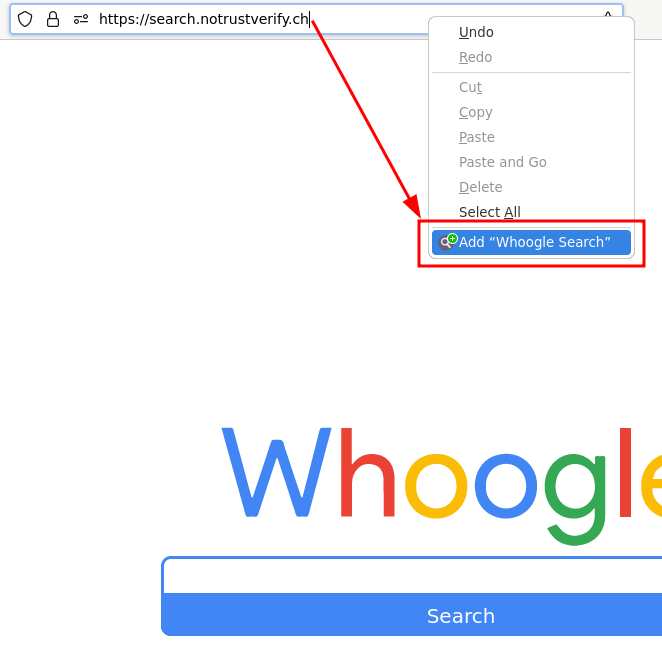
To use search.notrustverify.ch as a search engine, simply go to search.notrustverify.ch and right-click on the address bar, then "Add Whoogle Search".
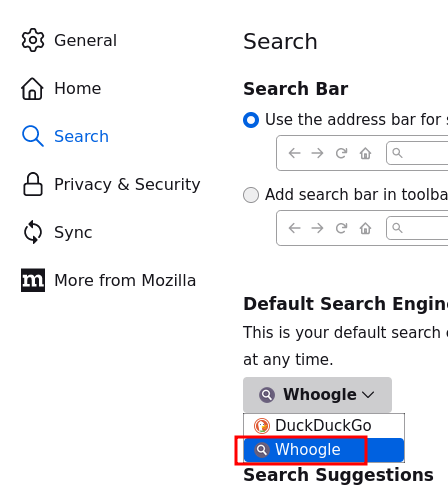
To use search.notrustverify.ch as your default search engine, go to Settings, "Search" and under "Default search engine", select "Whoogle".
Chromium
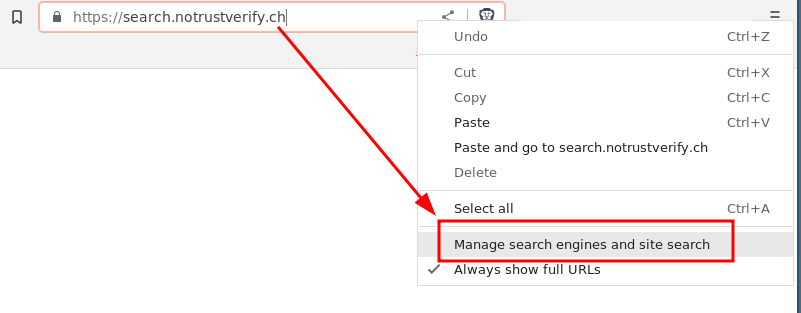
For Chromium-based browsers such as Brave or Chrome, go to search.notrustverify.ch and in the URL bar, right-click and select "Manage search engines and site search".
Then under "Search site" select "Add".
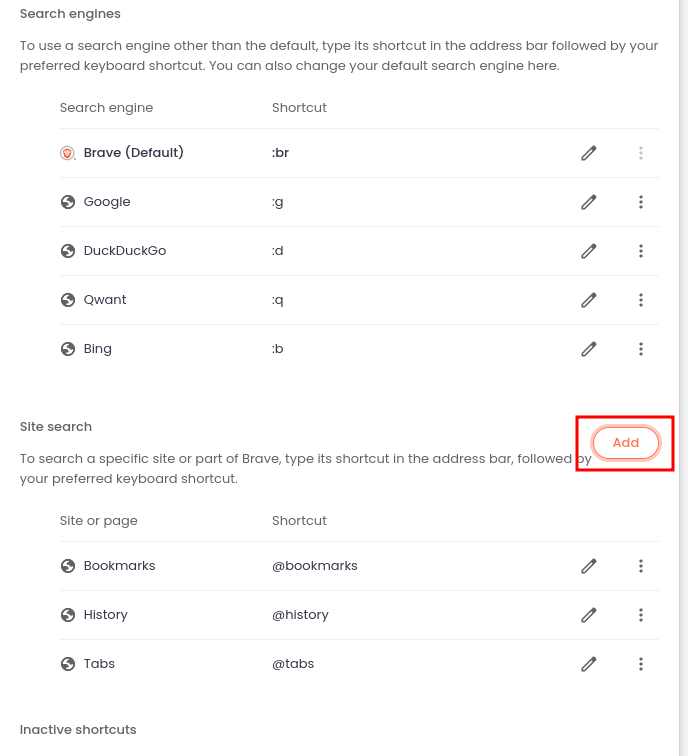
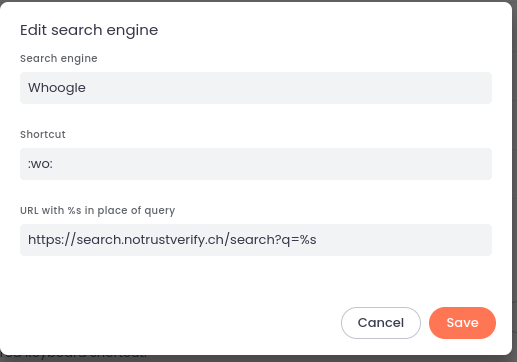
And enter the following values
Search engine: Whoogle
Shortcut: :wo:
URL with %s...: https://search.notrustverify.ch/search?q=%
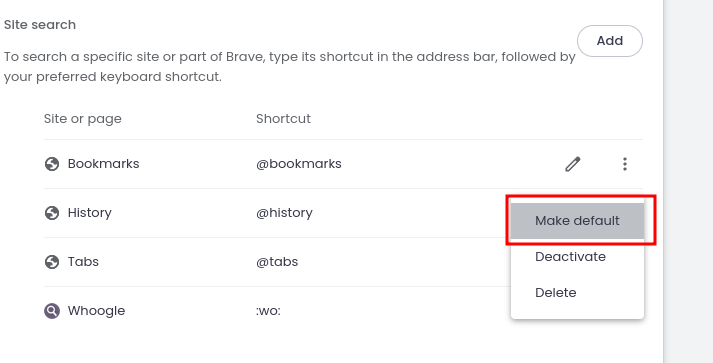
And finally, set Whoogle as the default search engine
Comments
Join the discussionNo comments yet. Be the first to comment.